Message comes in → Gateway runs agent turn → Agent thinks + uses tools → Response goes back out
Also: Web Control UI · Nodes (iOS/Android/macOS) · Plugins — but the above is the core.
Features
A quick reference for the technically curious
💬 20+ Messaging Platforms
WhatsApp · Telegram · Discord · Signal · Slack · iMessage · LINE · Matrix · IRC · Teams · Twitch · Google Chat · Nostr · and more
🤖 Multi-Model Support
Claude · GPT · Gemini · Ollama · any OpenAI-compatible API. Switch models per task. Use local or remote.
📱 Nodes (iOS, Android, macOS)
Connect devices to extend the agent — phone camera, location, voice, notifications, contacts. Mac nodes add screen recording, canvas, and system control.
🤖 Sub-Agents
Spawn background workers for coding, research, or parallel tasks. Orchestrate multiple agents from one conversation.
⏰ Cron Jobs & Heartbeats
Schedule recurring tasks, periodic check-ins, monitoring. The agent wakes up on its own and acts.
🧩 Skills & ClawHub
Modular capability packages. Community marketplace. Install skills like npm packages for your agent.
🎙️ Voice & Media
Voice note transcription, text-to-speech, image generation, file attachments in and out.
🧠 Workspace & Sessions
Persistent workspace files, conversation history across channels, auto-compaction, semantic memory search over your notes.
Context Is Everything
Same model. The only difference is what it knows.
Fresh session
What should I have for dinner?
Here are some popular options: pasta, stir fry, tacos, grilled chicken, salad...
Generic answer. Model knows nothing about you.
Mid-conversation
...yeah I'll try that recipe, I've been vegetarian for years
┈ 15 messages later ┈
What should I have for dinner?
Since you're vegetarian, how about a Thai basil tofu stir fry or a chickpea curry?
Better — it remembered from earlier. But resets next session.
🦞 OpenClaw
📂 Loaded before you type anything
SOUL.md · USER.md · AGENTS.md · TOOLS.md "Jack is vegetarian, lives in Sydney, wife Aom is Thai, loves spicy food..."
🔍 memory_search → thai-recipes.md
What should I have for dinner?
It's 28° in Sydney tonight — perfect for that som tum recipe Aom showed you last week 🌶️
Deeply personal from message one. Persists. You control all of it.
Same model, same mechanisms. The difference is what it knows before it starts thinking — and how much of that you control.
"Read SOUL.md — this is who you are.
Read USER.md — this is who you're helping.
Don't ask permission. Just do it.
trash > rm. When in doubt, ask."
SOUL.md
"Be genuinely helpful, not performatively helpful.
Have opinions. Disagree, prefer things.
Take initiative, not instructions.
Funny and a bit unhinged — but can flip to
serious instantly."
USER.md
"Name: Jack · Timezone: Australia/Sydney
Loves: retro gaming, Rocket League, ATLA
Wife: Aom · Cat: Momo
Wants an assistant that's a badass but also fun"
Same model, same code, completely different agent. Two people running OpenClaw will have totally different experiences.
What People Are Doing With It
Real use cases from the community
📬
Inbox Management
Triage emails, clear spam, draft replies, morning rollup. One user cleared 10,000 emails on day one.
☀️
Daily Briefings
Weather, calendar, reminders, health stats, trending topics, relevant reading — delivered every morning.
🍳
Meal Planning & Groceries
Weekly meal plans, shopping lists sorted by store and aisle, dinner reminders. Saves an hour a week.
📱
Build From Your Phone
"Rebuilt my entire website via Telegram while watching Netflix." Code, deploy, manage — no laptop needed.
📋
Project Management
Break down projects, manage GitHub/Linear issues, research before meetings, create invoices, track work.
🏠
Smart Home & Life Admin
Home Assistant & Homey integrations, cost tracking, school test reminders, calendar conflict resolution, voice control.
What I'm Doing With It
Real examples, not hypotheticals
💬 Replaced ChatGPT & Claude Desktop
All my AI usage goes through OpenClaw now. Discord threads feel like chat sessions — but persistent and connected to everything else.
🌐 Sites Built for Family & Friends
• Arc Raiders database — items, weapons, crafting, enemies, search, Playwright tests
• Gender reveal site — live voting, AI images, photo gallery, bilingual. Built in one session.
📊 Automated Monitoring
Media server health checks, OpenClaw update alerts, GitHub issue watching — reports posted to Discord daily.
🤖 Bot-to-Bot Collaboration
My agent and a friend's agent talk on Discord — coordinating dinner plans across calendars, collaborating on designs.
🎤 This Slide Deck
Built by chatting with my agent in a Discord thread. It wrote the code, fact-checked the claims, pushed to GitHub.
🧠 Memory System — Observes, reflects, consolidates. More in my next talk →
Where Does Your Data Go?
Know the boundaries before you share your secrets
🏠
Your Machine
Workspace files
Memory & history
Config & secrets
Session transcripts
✅ You control this
→ prompts →
→ messages →
→ fetches →
🤖 LLM Provider *
Anthropic, OpenAI, Google... Sees everything in your prompt: workspace files, memory, conversation
💬 Connected Services
Discord, WhatsApp, Calendar, Email... Can send messages, create events, post data on your behalf
🌐 The Internet
Web search, file downloads, APIs and websites
The agent can reach out to any public internet resource
* Self-hosted LLM? Prompts stay on your network. Remote LLM? Your context leaves your machine with every request.
What Could Go Wrong
Honest risks — you should know these before you start
💻 It runs commands on your machine
The agent has real access to your filesystem. A hallucination, misunderstood instruction, or malicious prompt injection can delete files, install things, or run destructive commands. In the worst case, a compromised agent could turn your machine into something you didn't intend.
💉 Prompt injection is real
Someone sends your agent a crafty message, and it follows their instructions instead of yours. Group chats and public channels are the biggest risk surface.
🔌 It can act on your integrations
Whatever access you give it — messaging, calendar, email — it can use. A confused agent might post to the wrong channel, send an email you didn't intend, or create events.
🔓 Know your identity model
On WhatsApp, the agent shares your phone number — messages appear to come from you. Use a dedicated number. On Discord and Telegram, it's a separate bot identity. Either way, allowFrom controls who can reach it.
🤷 Large, fast-moving codebase
400K+ lines. ~2,000 PRs merged per month. New releases almost daily. Features ship fast — but so do breaking changes. You're trusting a lot of code you haven't read.
💸 Token costs add up
Always-on means always-spending. Heartbeats, cron jobs, long conversations — each one is an API call. Easy to burn through credits without realizing.
Managing Your Risk
It can only do what you've given it access to
🧠 Be intentional about what you connect
Every integration you add is access you're granting — permanently, until you revoke it. Only connect what you need, when you need it, with the minimum scope to get the job done.
🔍 Understand what you're actually exposing
"Read my recent emails" might mean access to all emails — and possibly send permissions too. A calendar integration for reminders might also let it create or delete events. Know what each permission actually grants — not just what you intend to use it for.
⚠️ Every scope is an attack surface
The agent might misinterpret "clean up those emails" and delete everything. Or a prompt injection could exploit access you've granted. The more integrations connected, the bigger the blast radius — whether from a mistake or an attack.
🐢 The Trust Gradient
Start with chat only — no integrations
Add tools as you need them
Observe how it behaves with each one
Grant more access over time based on trust
Stay conscious of your total exposure
Like onboarding a new employee — more responsibility over time.
Where Should I Run This?
Pick your setup based on your comfort level
🖥️
Mac Mini / Dedicated Machine
The community favorite. Always on, low power, can run local models too.
✅ Full control
✅ Local LLM option
✅ No monthly cost ⚠️ Need to maintain it yourself
☁️
VPS / Cloud VM
Cheap Linux VM ($5-10/mo). Always on, nothing to maintain physically.
✅ Always available
✅ Easy to set up
✅ Remote by default ⚠️ Remote models only (usually)
⚠️
Your Daily Driver
Your laptop or desktop. Fine for experimenting, not great long-term.
✅ Nothing extra to buy
✅ Good for trying it out ⚠️ Agent has access to everything ⚠️ Stops when you close the lid
Raspberry Pi also works great for a low-cost always-on setup. Isolate the agent from your personal files.
Getting Started
~5 minutes to your first conversation
curl -fsSL https://openclaw.ai/install.sh | bash
Mac, Linux, WSL2, Raspberry Pi — handles everything.
1
Get a machine A VPS, spare laptop, Mac Mini, Raspberry Pi — anything that stays on.
2
Run the install script It installs OpenClaw, walks you through setup, and adds your API key.
3
Connect a channel Telegram is the fastest. Discord for power users. WhatsApp via QR scan.
4
Say hello 🦞 Your agent is live. Start chatting and see what happens.
Pro Tip #1: Talk, Don't Configure
Don't configure it — talk to it
You don't need to learn the config. You don't need to manually edit files. You don't need the web UI.
Just ask your agent:
💬 "Set up email so I get a daily morning summary"
💬 "Connect my Google Calendar and remind me before meetings"
💬 "Update your personality to be more concise"
💬 "Add Telegram as a second channel"
OpenClaw can edit its own config, update its workspace files, and restart itself. You provide credentials when needed. It handles the rest.
Pro Tip #2: Use Your Voice
Higher bandwidth than typing — and hands-free
🖥️
Desktop
Use a speech-to-text tool that pastes transcribed text directly into your chat. Talk naturally, send as a message.
e.g. SuperWhisper, OpenWhisper, macOS Dictation
📱
Phone
Send a voice note through your chat app. OpenClaw transcribes it automatically.
You say more when you talk than when you type. More context = better answers. And even if the transcription is slightly off, the agent figures it out.
Pro Tip #3: Give Discord a Try
My preferred setup — and why
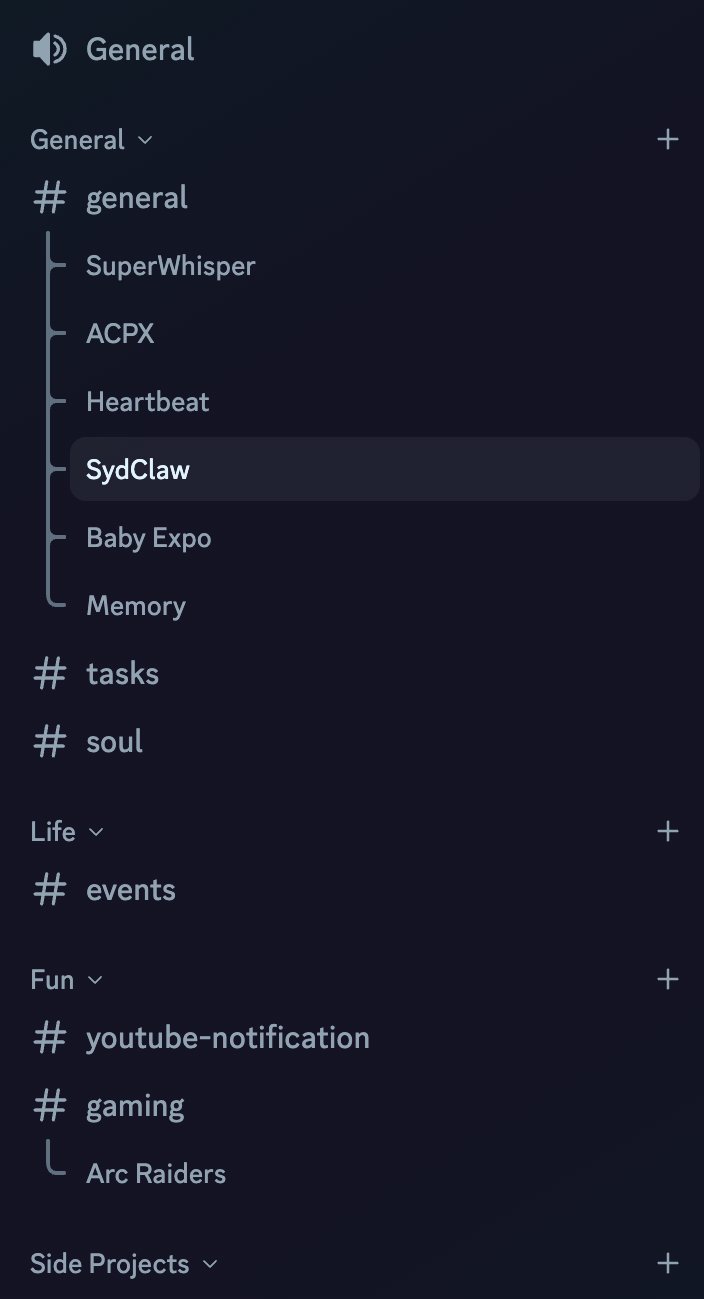
🧵 Threading is a game changer
Start a thread for any topic — feels like opening a new ChatGPT session. Temporary, focused, searchable later. Way better than one long chat.
📂 Channels organize your life
Each channel gets its own session context. Use your agent to generate a channel structure that reflects your life and projects.
🔕 Mute the server, get pinged when it matters
I mute the whole server — the agent pings me when something needs attention. No notification fatigue. Check in on your own schedule.
⚡ Setup tips
• Dedicated private server — just you and the bot
• Give it broad permissions (channels, threads, emoji, attachments) — it's safe when the scope is a private server
• Set requireMention: false so it responds to everything
• Bot setup is more involved than Telegram — use an AI to walk you through it
The Real Point
OpenClaw is infrastructure for a personal AI agent that you own.
An assistant that knows you, learns from you,
and reaches out when something matters.
It's early, it's messy, and you should go in with eyes open.
But it's also the most useful thing I've run on a computer in years.